
Ask most countertop shop owners which marketing actually books jobs and you'll hear a shrug: "I think the website helps?" or "Word of mouth, mostly." That uncertainty is expensive. When you can't tell which channels produce revenue and which just burn cash, you either underspend on what works or pour money into what doesn't — and you have no way to know the difference.
Tracking marketing ROI fixes that. It replaces gut feel with numbers that tie every dollar to booked jobs, so you can confidently scale the winners and cut the losers. This guide walks through the practical system — call tracking, attribution, cost per lead, close rate, and the KPIs and dashboards that turn your marketing from a guessing game into a predictable engine for high-value retail jobs.
Why ROI tracking beats guessing
Marketing without measurement is just spending. You cannot scale what you do not measure, and you cannot improve what you cannot see. When you track ROI properly, three things happen: you stop wasting money on channels that don't convert, you reinvest confidently in the ones that do, and you gain the leverage to grow without simply spending more.
The fastest-growing shops are rarely the ones spending the most — they're the ones who know exactly which dollar booked which job. That clarity is also what lets you move from price wars to premium projects, because you can see which channels bring high-value retail buyers versus bargain hunters, and steer your budget toward the former. The data on what's at stake is striking.
The lesson: a large share of marketing money is wasted simply because it isn't measured, and the businesses that do measure grow far faster. Let's start by separating the numbers that matter from the ones that don't.
Vanity metrics vs. revenue metrics
Plenty of marketing reports are full of numbers that look impressive and mean nothing for your bottom line. Impressions, likes, follower counts, and "reach" feel good but don't tell you whether a single countertop job got booked. Chasing them is how shops end up busy, visible, and still not profitable.
Revenue metrics are different — they connect directly to booked jobs and dollars. The shift in mindset is simple: stop asking "how many people saw this?" and start asking "how many jobs did this book, and at what cost?" Everything that follows in this guide is built on that question.
Quick win
For every marketing channel you run, write down a single number: how many booked countertop jobs did it produce last month? If you can't answer for a channel, that's your first sign you're flying blind there — and the first place tracking will pay off.
Call tracking and attribution
Most countertop leads still come by phone, which is exactly why so many shops can't measure their marketing — they have no idea which channel made the phone ring. Call tracking solves this by assigning a unique phone number to each source. A call from your Google Business Profile, your website, a Google Ad, and a Local Service Ad each comes through a different tracked number, so every call is automatically attributed.
- Use distinct tracked numbers for GBP, organic site, paid ads, LSAs, and offline campaigns.
- Record or log calls so you can separate real job leads from spam and wrong numbers.
- Tag web form leads with their source too, so every inquiry — call or click — is attributed.
- Feed it all into a CRM so attribution follows the lead all the way to the booked job.
With accurate attribution, you finally know not just how many leads you got, but where they came from — the foundation every other ROI number is built on.
Cost per lead by channel
Once leads are attributed, cost per lead (CPL) is straightforward: divide what you spent on a channel by the number of leads it produced. Calculate it per channel, never as a blended average — a blended number hides which channels are carrying you and which are quietly draining the budget.
But CPL alone can mislead. A channel with a low cost per lead looks great until you discover those leads almost never close. That's why CPL is only step one — you have to follow each lead to whether it actually booked a job. A "cheap" lead that never converts is far more expensive than a pricier lead that does.
Know exactly which dollar books each job
We set up call tracking, attribution, and CRM dashboards that tie your marketing straight to revenue — no vanity metrics. Book a free growth call and we'll show you where your jobs really come from.
Schedule a Free AppointmentClose rate and cost per job
This is where ROI tracking gets powerful. Your close rate is the percentage of leads that turn into booked jobs, and it lets you calculate the number that actually matters: cost per booked job. The math is simple — cost per lead divided by close rate.
Say Channel A delivers leads at $40 but only 10% close, while Channel B delivers leads at $90 and 30% close. Channel A costs you $400 per booked job; Channel B costs $300 — even though its leads look more expensive on the surface. Without close rate, you'd have scaled the wrong channel. This is also why improving close rate (through faster follow-up and a better website) lowers your true cost per job without spending an extra dollar on ads.
Finish the picture by comparing cost per job to your average job value. If a booked countertop job is worth several thousand dollars and costs you a few hundred to acquire, you have a healthy, scalable channel worth feeding.
The KPIs that matter
You don't need a hundred metrics — you need a focused set that tells the full revenue story. Track these consistently and you'll always know where you stand:
- Leads by source — volume from each channel.
- Cost per lead — by channel, never blended.
- Close rate — leads that become booked jobs.
- Cost per booked job — your true acquisition cost.
- Average job value & revenue by channel — what each channel actually produces.
- ROI — revenue generated minus cost, divided by cost, per channel.
- Speed-to-lead — a supporting metric that strongly influences close rate.
Build a simple dashboard
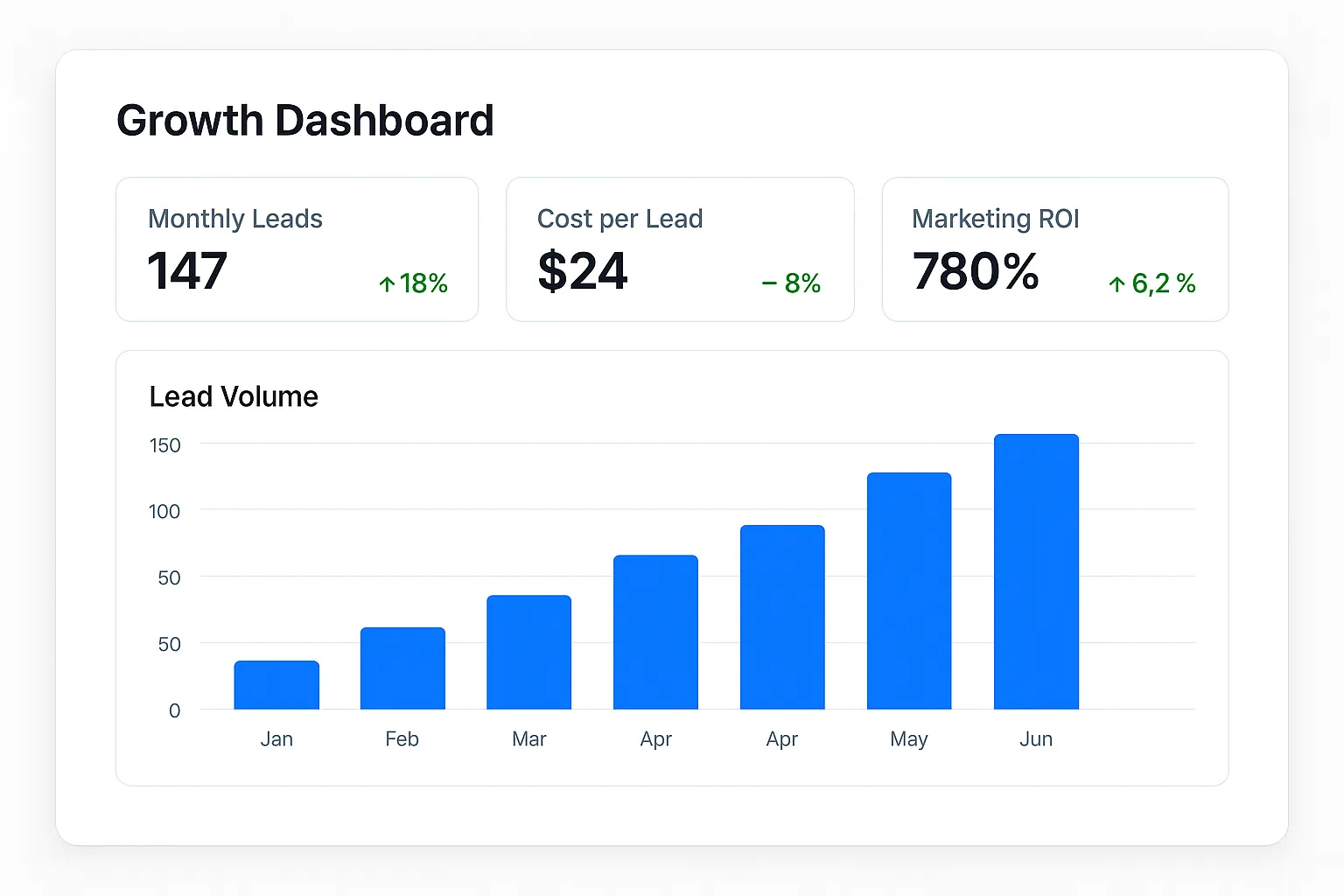
Data only helps if you actually look at it. The goal isn't a fancy report — it's a simple, scannable dashboard that answers "what's working?" at a glance. A clean spreadsheet or a CRM dashboard with a row per channel and columns for spend, leads, CPL, close rate, jobs, revenue, and ROI is plenty.
- One row per channel so comparisons are obvious.
- Review headline numbers monthly; watch paid channels weekly since spend moves fast.
- Pull from your CRM and call tracking so the data updates without manual digging.
- Keep it simple enough that you'll actually use it every month.
Measure, then decide
A dashboard isn't about admiring numbers — it's about making decisions. Each month it should produce a short, clear list: scale these channels, fix these, and cut these. That habit is what compounds into faster, more profitable growth.
Turning data into decisions
Tracking ROI is only valuable if it changes what you do. Each month, take your dashboard and act on it: pour more into the channels with the best cost per job and ROI, fix or test the underperformers, and cut what consistently loses money. Then reinvest the savings into your winners. That simple loop — measure, decide, reallocate — is how a countertop shop turns marketing from an expense into a predictable growth engine.
That's exactly the system we build for countertop businesses: call tracking, attribution, and CRM dashboards that tie every dollar to booked jobs, so you always know which marketing is paying off — and your budget keeps flowing toward the high-value, premium projects you want most.